A Fusion 360 add-in that generates a fully parametric 3D QR code model from any text or URL. Each dark module is extruded as an individual solid body, giving you a clean, scan-ready result for 3D printing or CAM.
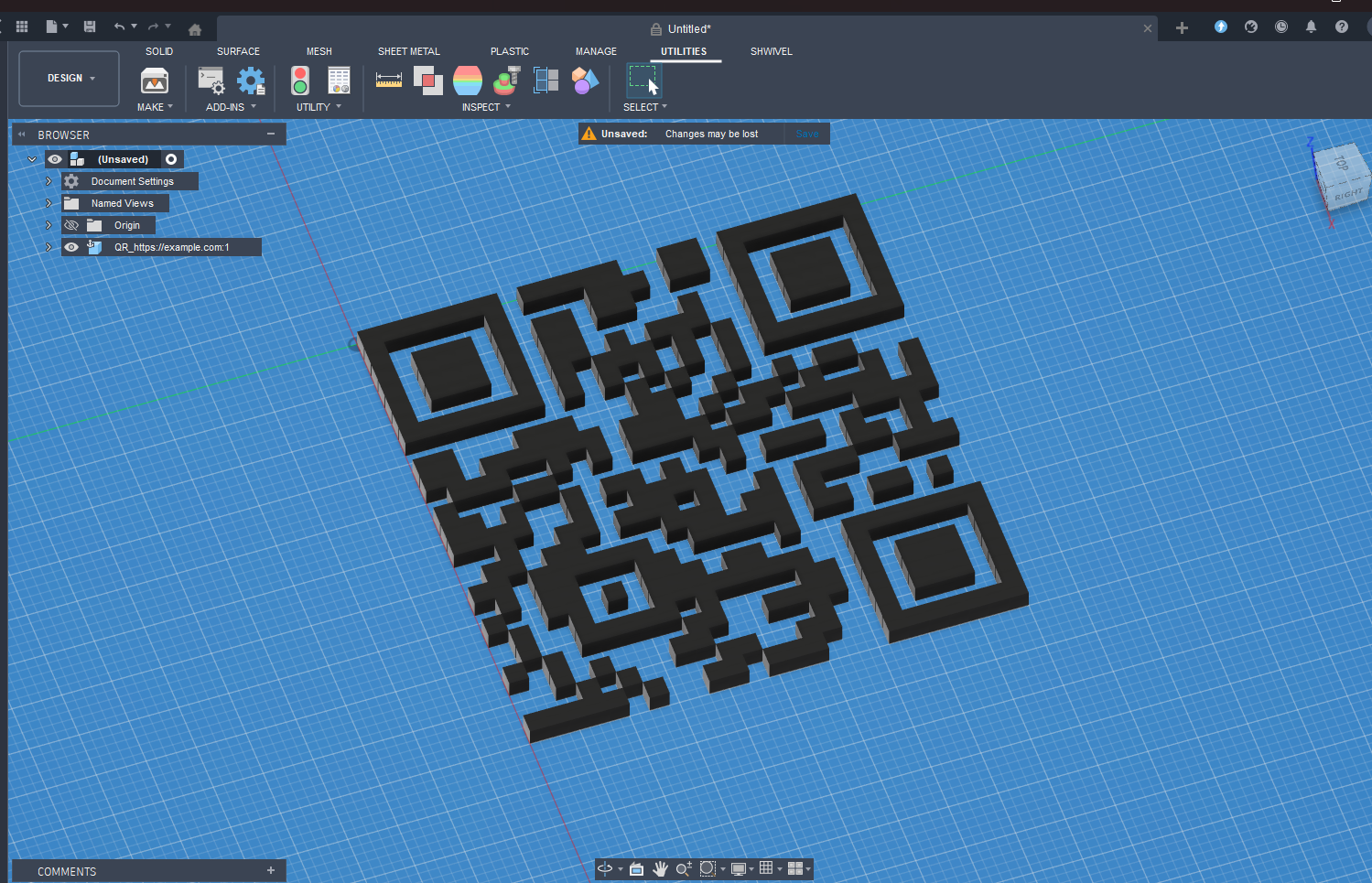
Features
- Encode any text, URL, or data as a QR code
- Choose error correction level: L (7%) · M (15%) · Q (25%) · H (30%)
- Configurable module size and extrusion height
- Each module is a separate solid body — no merging, no topology issues
- Hot-reload support: Stop → Run picks up code changes without restarting Fusion
Requirements
- Autodesk Fusion 360
- segno — install once into Fusion's bundled Python:
& "C:\Program Files\Autodesk\webdeploy\production\<version>\Python\python.exe" -m pip install segnoReplace <version> with the folder name matching your Fusion install (find it under C:\Program Files\Autodesk\webdeploy\production\).
Installation
- Clone or download the repository into your Fusion 360 add-ins folder:
%APPDATA%\Autodesk\Autodesk Fusion 360\API\AddIns\- Install
segnoas shown above. - Open Fusion 360 → Utilities → Add-Ins (
Shift+S) → select qrcode → click Run.
Usage
- Switch to the Design workspace (Solid tab).
- Click QR Code Generator in the Scripts & Add-Ins panel (or search for it).
- Fill in the dialog:
| Parameter | Description |
|---|---|
| QR Code Text | Any text or URL to encode |
| Error Correction | L (7%) · M (15%) · Q (25%) · H (30%) |
| Module Size | Side length of each dark square (default 2 mm) |
| Extrusion Height | How tall the raised modules are (default 2 mm) |
- Click OK — the 3D QR code appears as a new component.

How It Works
- segno generates the QR code bit matrix.
- All four edges of every dark module are collected into a Python
set— shared edges between adjacent modules are deduplicated automatically, so each module ends up with its own clean closed square profile in the sketch. - Profiles are filtered by area (
≈ module_size²) to exclude large annular profiles that Fusion creates for enclosed white regions (finder pattern rings, etc.). - Each matching profile is extruded individually with
NewBodyFeatureOperation— one extrude call per module — so Fusion never merges touching bodies.